Nearfield for Ableton Live Beta

Everyone in sync.

Your Live projects, organized and consistent on every computer and with every collaborator. Only the samples a Set uses travel, nothing gets copied twice, and broken Sets get fixed. Less file wrangling, more finished tracks.

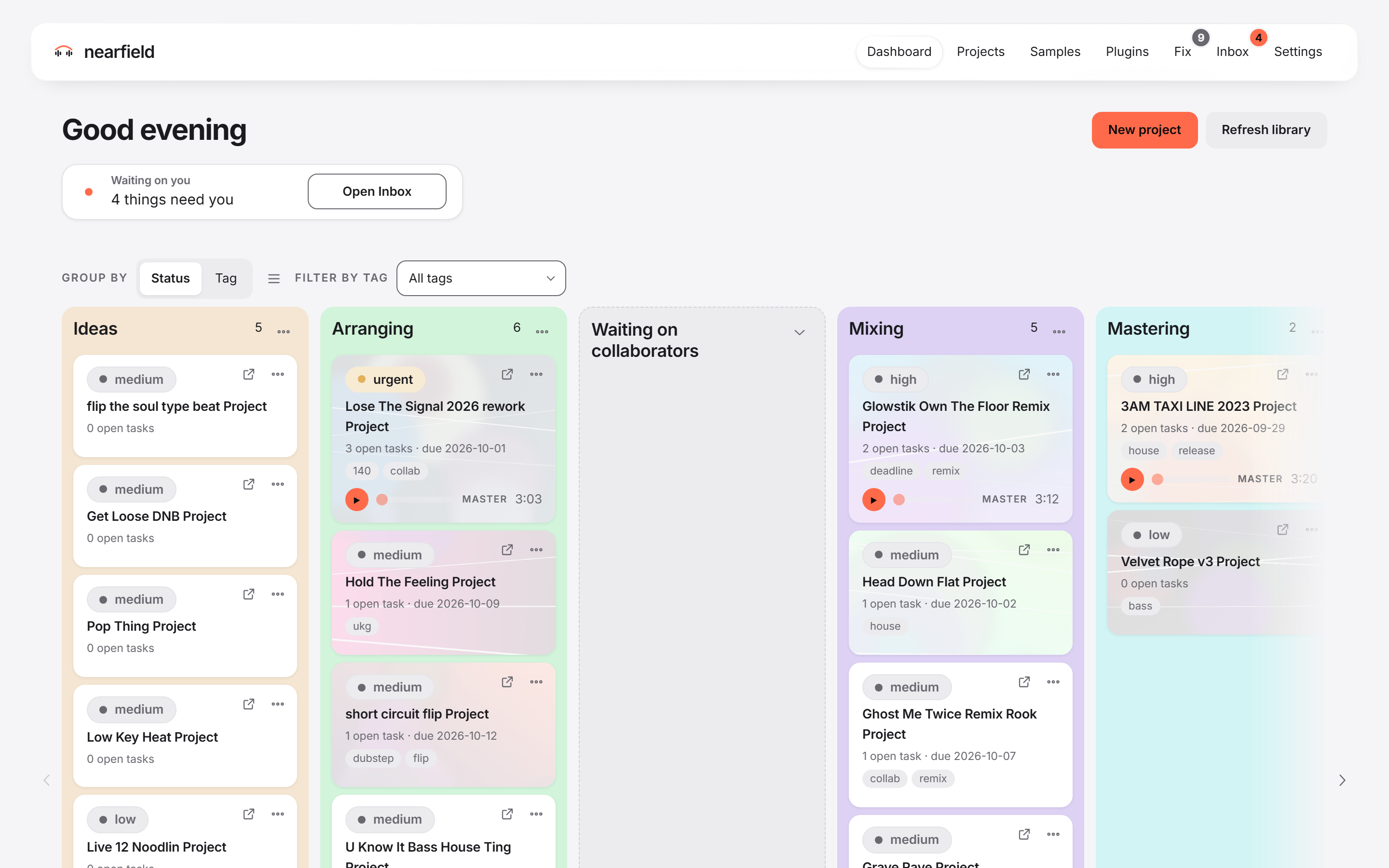
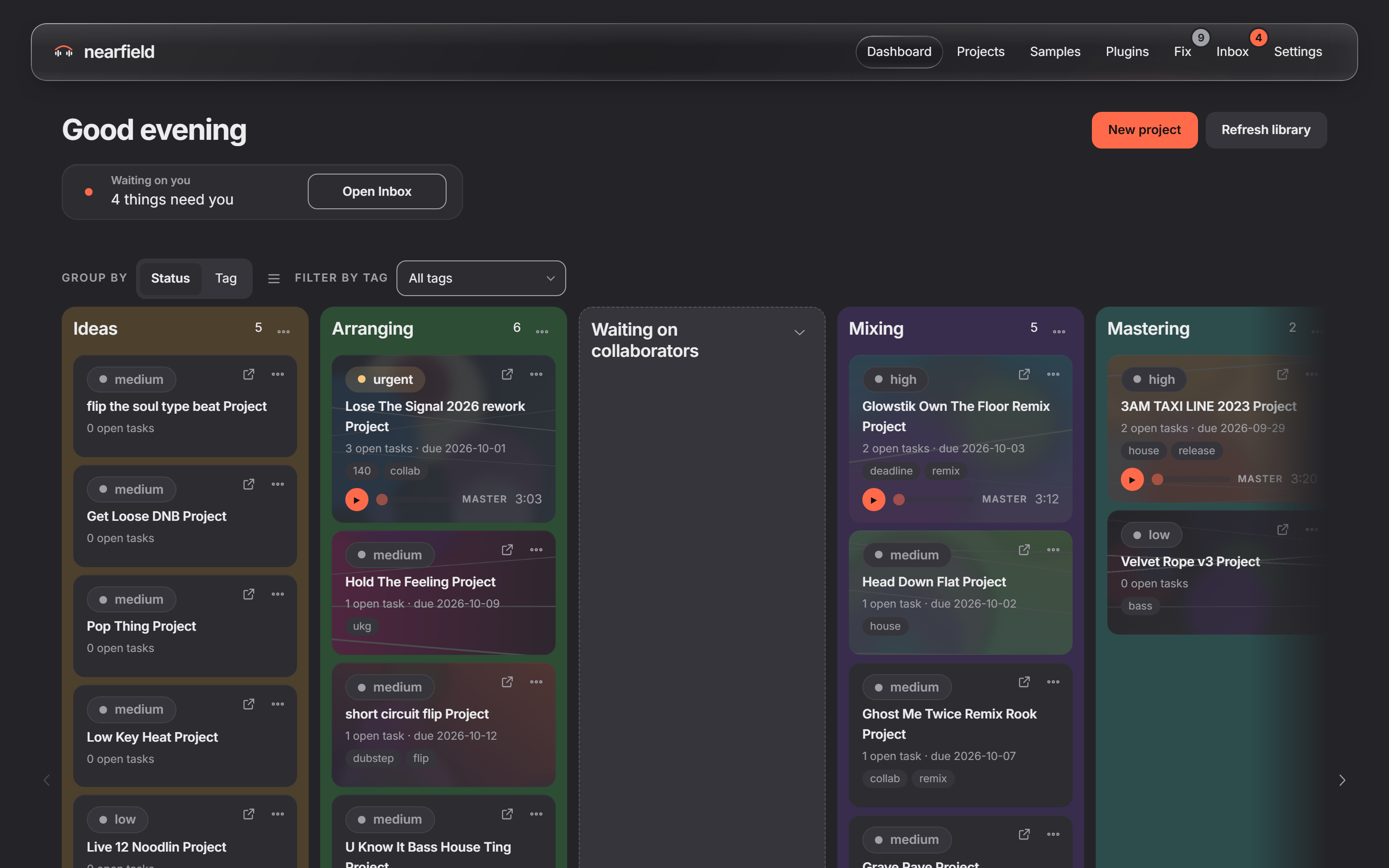
The Nearfield dashboard: every project on one board The Nearfield dashboard: every project on one board

It never edits your Sets.

Nearfield reads your .als files. A fix is a new copy beside your Set.

A delete stays on its computer.

If a file is deleted on one computer, nothing is removed on any other.

It never writes over your work.

A fixed Set, a copy for a collaborator, a restored version: each is a new file.

You see what travels first.

Before a share goes out, the app tells you what the other computer will get, and what it will not.

From your computer to theirs.

A project organized on one computer, sent to another, and opened in Live with nothing missing.

Collaborate easier.

Send a Live project to someone on another computer, and it opens with nothing missing. No more “media offline”.

Send the song. The samples come with it.

A Collect All and Save puts every sound in the project folder, and then the whole folder has to travel. Nearfield sends much less. It reads the Set and sends only the samples the Set uses. If the other computer already has a sample, the same file byte for byte, that sample is not sent at all.

On your computer

Vox chop 2.wav
User Library/Samples/Vocals/ · sent
Dusty keys.aif
Downloads/Sample packs/Keys/ · sent
Kick 04.wav
They have this file already · not sent
Vox take 3 (unused).wav
The Set does not use it · stays with you

On theirs, after one press

User Library/Nearfield/From Maya/

The two samples they did not have, filed in a folder named for you.

User Library/Samples/Drums/Kick 04.wav

Their own copy, where it already was. Nothing new is written.

Night Drive Project/

A copy of the Set that points at each sample on their computer. It opens in Live with nothing missing.

Illustration. The file names are examples. The folder User Library/Nearfield/From <name> is the one Nearfield makes. If their copy of a sample is inside another project’s folder, Nearfield copies it into their User Library, so the two projects do not depend on each other.

What a share sends, and what it does not.

What goes

  • The Set you share.
  • The samples that Set uses, from wherever they are on your disk, except the ones they already have.
  • Your master and bounces.
  • The project’s cover picture, if you gave it one.

What stays with you

  • Sounds the Set does not use: alternate takes, and other audio in the folder.
  • Your other Sets in the project.
  • Live’s Backup folder.
  • Other files in the project folder, such as MIDI files, presets and video.
  • Anything outside the project that the Set does not use.

Why this is true by design. Nearfield was designed so that a shared folder always holds back every sound file, every other Set, and every other file except the cover picture. A sample can go only because Nearfield read it out of the Set you chose. The app tells you the same thing before a share goes out.

Mac and Windows. Both ways.

Start a beat on a PC, send it to a friend on a Mac, and get it back. A project crosses between them in either direction.

Hear it, see it, talk about it. Without opening Live.

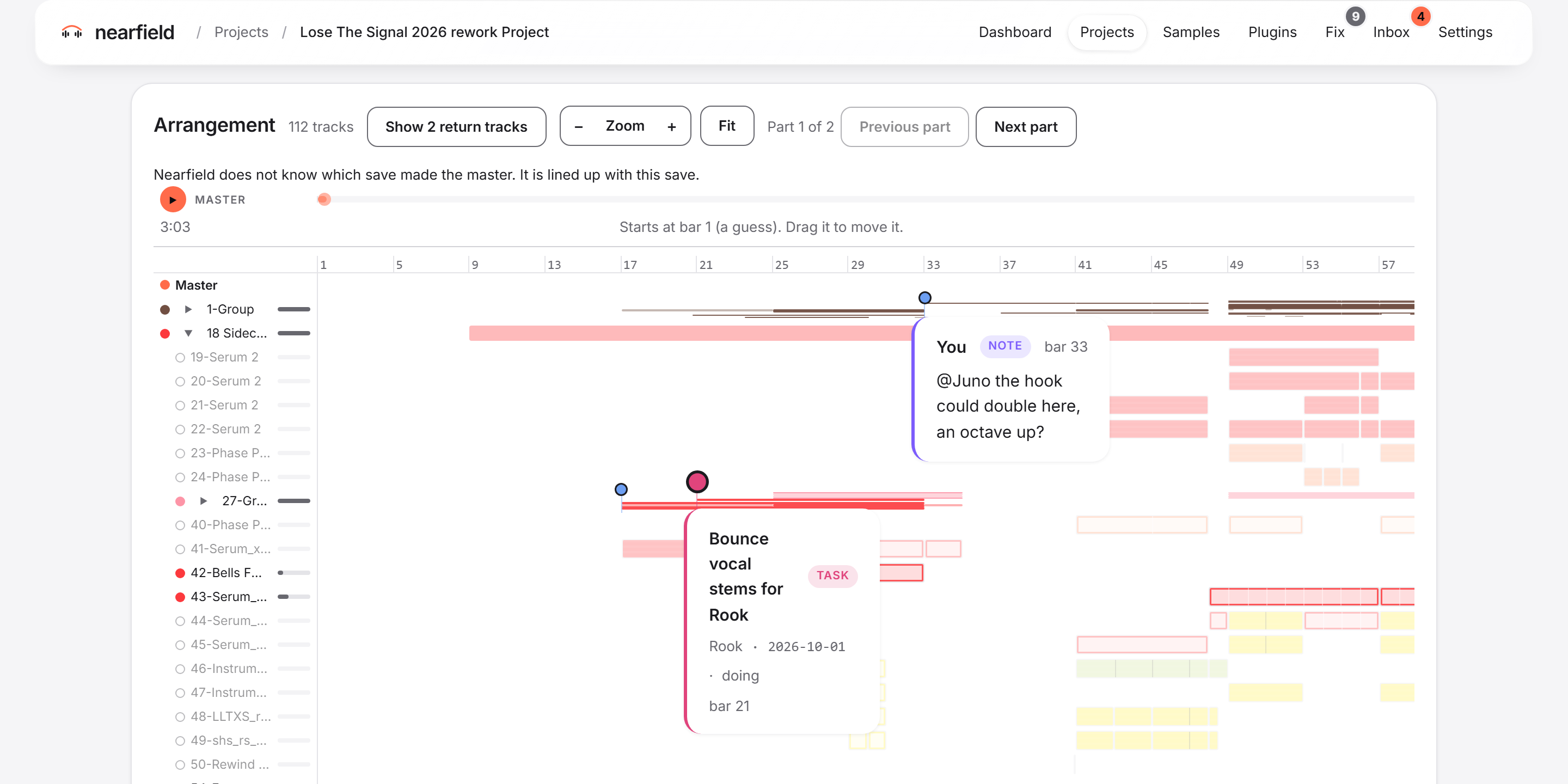
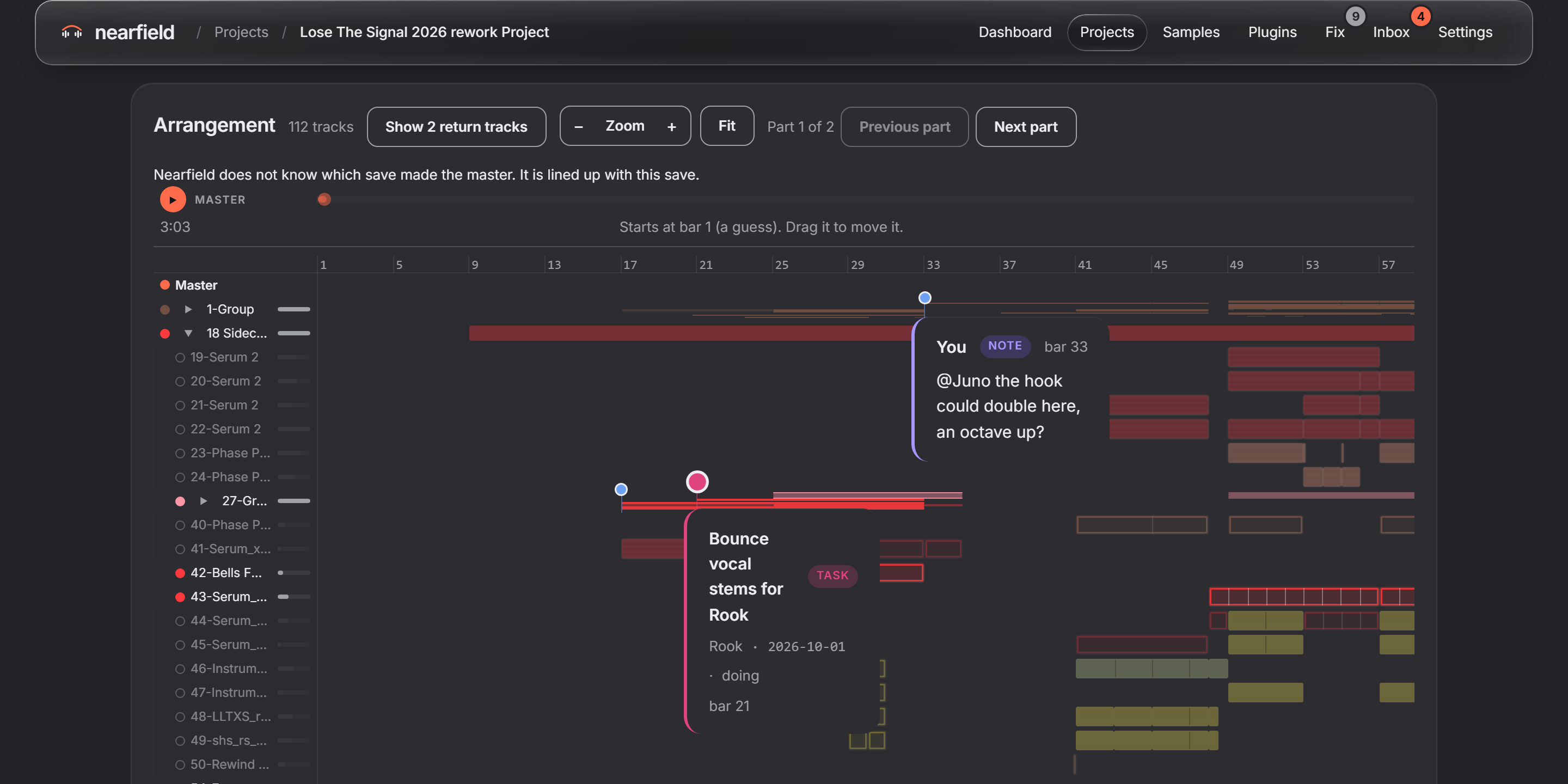
The project page plays the master in its own row of the arrangement, lined up with every track and clip. Pin a note or a task right there, on a track, a clip or a moment. Your master and bounces travel with a share, so your collaborator hears the same thing.

Notes

Reply, @mention someone, and mark a note resolved. A resolved note folds away. It is not deleted.

Tasks

Give a task to a person, set a priority and a due date, and move it from to do, to doing, to done. Reply to it and @mention someone.

On the board

Each project card shows its open tasks and the next due date.

A project page: the arrangement with the master in its row, a note and a task pinned open on their tracks A project page: the arrangement with the master in its row, a note and a task pinned open on their tracks

Hand it over, cleanly.

One person holds a project at a time, and everyone sees who. Hand it over, ask for it back by a date, or ask for more time. When work comes back, your earlier version is kept under its own name.

It checks before it sends.

A share should open on the other side. So Nearfield looks at the other computer first, and tells you what it finds.

A missing plugin

If the other computer does not have a plugin the Set uses, you hear about it before the share goes out.

A newer Live

If the other computer runs a newer Live, the app warns you: if they open and save the Set there, you will not be able to open it again.

Less time fixing projects.
More time making music.

A missing sample or a path that is too long can stop a session before it starts. Nearfield finds these problems in every project and puts them right, and your Set stays as it was.

Fix every project at once, or one at a time

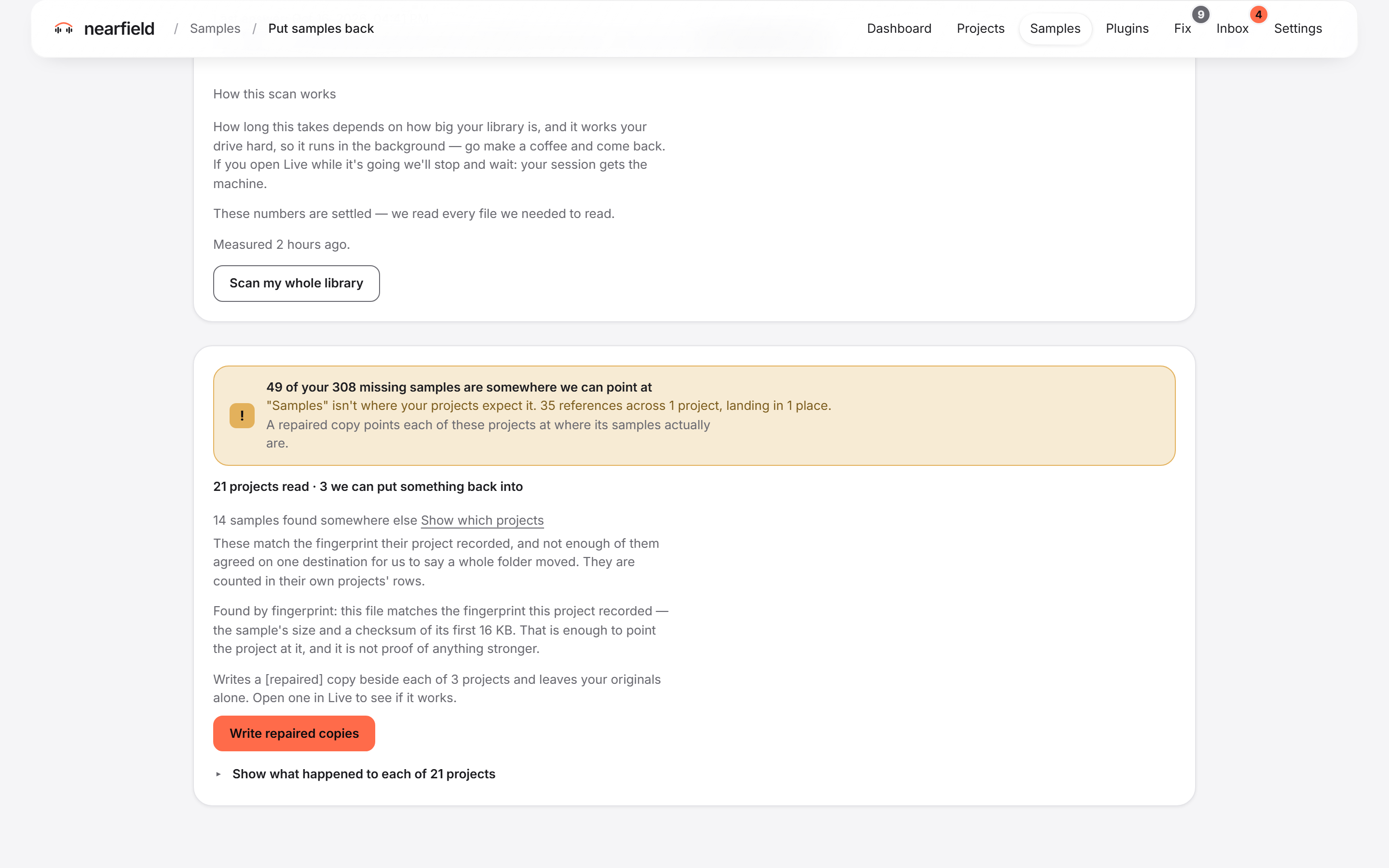
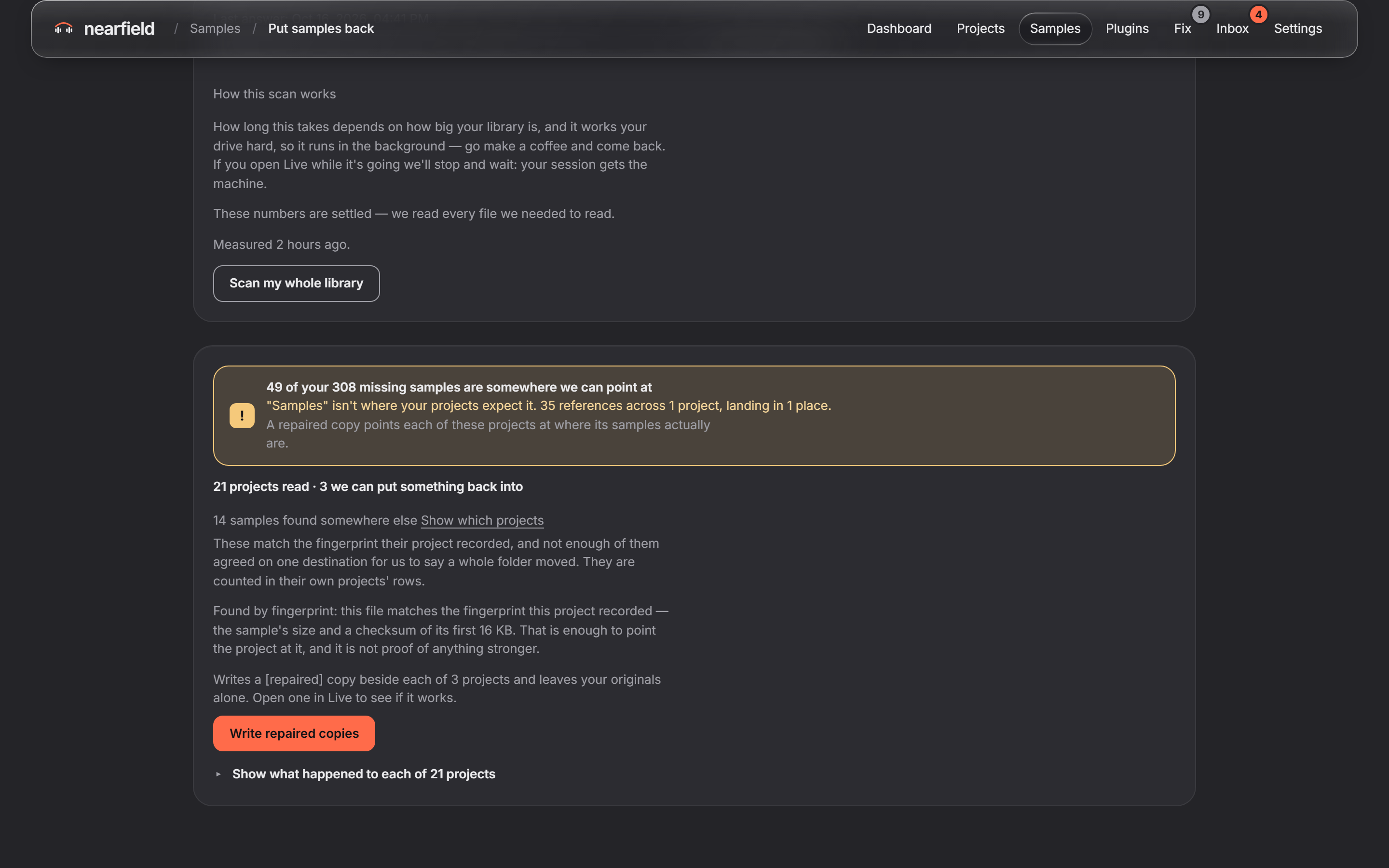
One scan finds the missing samples in every project, and one press saves a fixed copy beside each Set. Or open one project and fix only that one. When one name fits several files, you listen, choose once, and every project that uses it is fixed.

Shorten sample paths

Windows stops at 260 characters in a path. Nearfield gives long sample paths short ones, so Live can still find and load every sample.

See what is broken, in one place

One read of your whole library lists the projects that cannot open, the sample packs they depend on, and the samples a Set borrows from another project’s folder.

Put samples back after a scan of the whole library: three projects can be repaired, with the Write repaired copies button Put samples back after a scan of the whole library: three projects can be repaired, with the Write repaired copies button

Stay organized.

Every project on one board, every save kept, and a page for each project that shows where it stands.

One board for every project

Name your own columns and drag projects between them. Finished and abandoned tracks go to their own places below the board, so the board shows the work that is still open.

Priority, tags and sort

Give a project a priority and tags. Filter the board by tag, and sort it by priority, name, last update, or your own order.

Every save is kept

While Nearfield runs, each save of a Set is kept as a version, even when you save over the same file. You do not have to press anything.

A page for each project

Every version, newest first, with a few words of your own on each, and the samples and plugins each version needs. Give the project a cover picture, and it shows on its card.

Tasks and dates on the card

Each card shows its open tasks and the next due date. It also tells you when a project needs samples, or has been quiet a while.

Find anything

Search every project in one grid, or show only the ones that need samples. Type a sample’s name to see every project that uses it.

A backup only
you can open.

Coming in a later update. The beta has no backups, so keep your own copy of your work. When backups come, this is how they work. Choose the projects you want kept safe, and another of your own computers keeps a copy. That computer holds the backup, but it cannot open it.

On your own computers

The backup goes to another computer on your account. You choose the projects, or back up every project you have now. A computer you share projects with cannot hold your backup.

Encrypted before it leaves

The computer that holds it cannot open it, and neither can Nearfield. Only your computers and your 12-word recovery code can. If you lose the code and every computer, nobody can open it, and that includes us.

Checked, and brought back

“Check my backup now” fetches files back and compares them. “Restore a copy” writes a new folder beside the project and checks it file by file. The project you work in is not touched.

Not the same as a share

A share goes to a collaborator. It is encrypted on the way, and they open it in Live as normal. A backup goes only to you, and stays locked to your computers.

So that a restore can be checked, your account keeps a list of each backed-up file. The list is locked with the same key as the backup, so Nearfield cannot read the file names in it. The privacy draft says the same.

Reclaim your
hard drive space.

Live does not make the mess. It just happens: every producer has a library full of copies and packs nobody opens. Nearfield finds them, clears them when you say so, and can put every one back.

Get rid of duplicates

Collect All left copies of your library’s sounds inside project folders. Nearfield finds them, checks each one byte for byte against the file in your library, and clears the copy. The file in your library stays.

Clear out samples you never use

See the sample packs that no project uses, or that none has used for a while. Move them aside to a holding folder, one pack or all of them in one go. From an older pack, only the files no project uses move.

Keep what your collaborators need

See every plugin you have and the ones no project uses. Nearfield never uninstalls anything. Your collaborators’ computers tell yours which plugins they have, and before a share it warns you about any their computer lacks.

One look at the whole library

One read finds the duplicates across every project. Move every unused pack aside with one press and one confirm. Tick the projects to clear, or select all, and one confirm clears their duplicates.

All of it can go back

“Undo — put these copies back” returns every cleared copy, checked byte for byte. “Put it back” returns a pack to where it was. A fixed Set is a new copy, so your Set never changed.

It deletes only when you say so

A duplicate goes only after you confirm what goes: on “Find duplicates”, a list of the projects you ticked and their copies; on a project’s own page, that project’s copies. Never a file in your library, never a Set, never anything in a shared project. A pack you move aside stays on the drive until you delete the holding folder yourself.

Safety

Your Sets
are left alone.

A Set is the one file with no second copy. Nearfield was designed from the start so that it works the way the rules below say.

It never edits a Set.

Nearfield only reads your .als files. When it fixes one, it saves a new copy beside your Set.

It never writes over a file.

Whatever it saves gets a name of its own. There is no setting that lets it overwrite.

A delete never crosses over.

If a file is deleted on someone else’s computer, your copy stays where it is.

It deletes only when you say so.

It refuses to delete anything until you press a button that says clearly what it will remove. Even then, it removes only what loses nothing: a duplicate whose same file stays in your library and that no Set in the project still uses, or a fixed copy it made itself, unchanged and not opened in Live, when you undo that fix. Never a Set you made, never a file in your library, never anything in a shared project.

A move can come back.

When you move a sample pack aside, Nearfield can put it back where it was. When it clears a duplicate, Undo puts the copy back.

Updates wait for you.

The app tells you when a newer beta is out. It never downloads or installs an update by itself.

Privacy

Your music stays between your computers.

Nobody in the middle gets to hear your work. That includes us.

Computer to computer.

A share travels between the computers in it, encrypted on the way. Nearfield’s servers look after your account, not your music.

Backups we cannot open.

Backups come in a later update, not in the beta. A backup is encrypted before it leaves, so the computer holding it cannot open it, and neither can we. Only your computers and your 12-word recovery code can.

Crash reports without names.

If the app crashes, it sends us a short report: where it broke and which version you use. It never has your project names, file names or folders. You can turn it off in Settings.

No password to leak.

You sign in with a link sent to the email we approved. There is no password to steal or to forget.

Usage counts, with an off switch.

The app counts which screens and buttons people use, never your music, file names or project names. It asks you first, and sends nothing unless you say yes. You can turn the counts off at any time.

Read the privacy draft

Questions, answered.

Will Nearfield change my Live Sets?

No. It reads your Sets and never edits them. When it fixes one, it saves a new copy beside your Set, and it never writes over a file that is already there.

Will Nearfield delete my files?

Only when you tell it to. It refuses to delete anything until you press a button that says clearly what it will remove, and then only what loses nothing: a duplicate copy it has checked byte for byte against the file in your library, or a fixed copy it made itself, unchanged and not opened in Live, when you undo that fix. Never a Set you made, never a file in your library, never anything in a shared project. Undo puts the copy back.

Is it only for sharing?

No. Even with nobody else, it keeps your projects on a board, keeps every save, fixes missing samples in one project or in all of them, shortens long paths, clears duplicates, and shows the packs and plugins you never use. Notes and tasks work on your own projects too.

Do I need an account?

Yes. During the beta, access is by approval. Press “Request access”, and when you are approved, we email you the download link. If we invite you, the invite email has the link. In the app, choose “Create an account” and use that same email. Nearfield sends you a sign-in link. There is no password.

Does my collaborator need Nearfield too?

Yes. They install it on their computer, and you connect with each other once in the app. After that, you can share projects, notes and tasks with each other. In the beta, a share arrives only while both computers are on and online at the same time. Cloud sharing, which brings a share while the other computer is off, is coming in an update.

Is this playing together live?

No. Nearfield shares a project between computers. One person holds it and works on it in Live, then hands it over.

Where do a collaborator’s samples go?

A sample you already have is not sent: the Set points at your own copy. The ones you do not have go into your User Library, in a folder named for them: User Library/Nearfield/From <name>. The project gets a copy of the Set that points at each one.

What if someone deletes a file?

Only their computer changes. A delete on one computer never removes anything on another.

Is my music uploaded to a server?

No. A share goes from computer to computer, encrypted on the way. The beta has no backups. Nearfield’s servers keep your account, not your music. The privacy draft lists what the account keeps.

Why does my computer warn me when I open it?

The beta builds are not signed yet, so macOS and Windows do not know them. The access page shows the steps to open it on each.

How do updates work?

When a newer beta is out, the app tells you and links to where you get it. It never downloads or installs an update by itself.
Bring everyone
into sync.

Beta builds for Mac and Windows. The first round goes to a small group of producers, and access is by approval.

  • Share a Set with only the samples it uses, between Mac and Windows.
  • Talk it through in notes and tasks, right on the arrangement.
  • Fix every project at once, or one at a time, and clear out the copies you do not need.
  • Keep every project on one board, with every save kept.

Request access

The beta opens to a small group first. Access is by approval.

You sign in to the app with this email. There is no password.

Your computer

A Mac with Apple silicon (M1 or newer), or Windows 11 only, for now. Nearfield works with Ableton Live 12.

Nearfield needs Live 12. You can still ask for the beta.

Invited by someone who uses Nearfield? Request access here too, with your own email.

Pressing Request access sends what you typed to our account service, run for us by Supabase. What we keep